> ## Documentation Index
> Fetch the complete documentation index at: https://docs.refup.io/llms.txt
> Use this file to discover all available pages before exploring further.
# Making your first Bid
A *bid* is a request for a specific official type for a *match* at a certain price.
To create a match and a bid:
1. [Store your credit card details](/teams/paying-with-a-credit-card)
2. Navigate to [My Bids](https://www.refup.io/matches/bids)
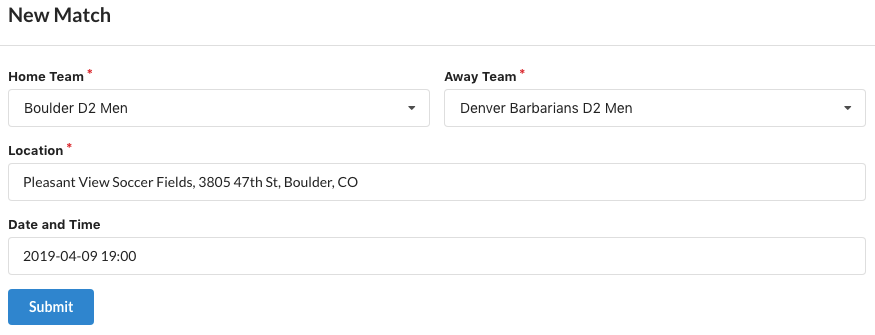
3. Click the  at the top of the screen to create a new match. Enter the match details and click Submit
 4. Create a new bid by entering the Official Type, Quantity, and Price on the newly created match
 5. Click the
  to save the Bid
 6. Officials can now create *offers* to work that bid. The number of offers for each bid is shown next to the
 7. A few weeks before the match, RefUp.io will automatically assign the bid from all of the offers that have been created. You will receive a notification of the officials for your match.