> ## Documentation Index
> Fetch the complete documentation index at: https://docs.refup.io/llms.txt
> Use this file to discover all available pages before exploring further.
# Making your first Offer
To make yourself available for an assignment, you create an *offer*. An offer is created for a *bid* which is a request for a specific official type for a match at a certain price (ex: Center Referee for Boulder vs Denver on 3/5 paying \$50)
To create an offer:
1. Navigate to [My Offers](http://www.refup.io/matches/offers)
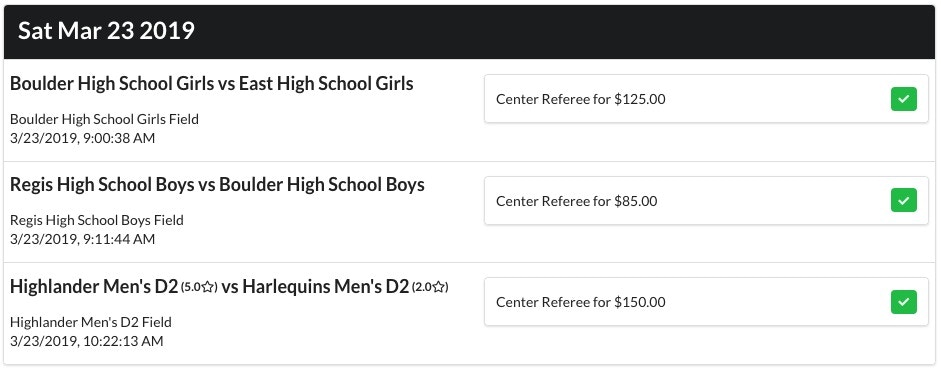 2. Click the
  next to the bid you would like to officiate. This official has created offers for the first two bids.
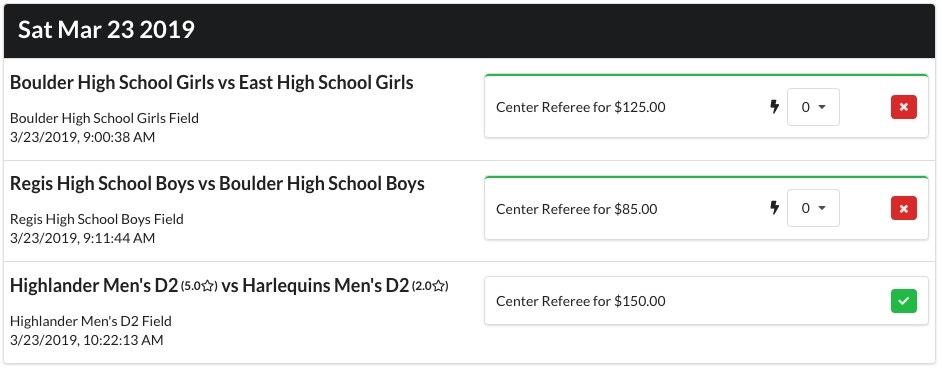 3. A few weeks before the match, RefUp.io will automatically assign the bid from all of the offers that have been created. The assigned official will also receive an email notification.
For more information on getting the matches you want, see [Winning an Offer with Boosts](/officials/boosts/winning-an-offer-with-boosts).
3. A few weeks before the match, RefUp.io will automatically assign the bid from all of the offers that have been created. The assigned official will also receive an email notification.
For more information on getting the matches you want, see [Winning an Offer with Boosts](/officials/boosts/winning-an-offer-with-boosts).