> ## Documentation Index
> Fetch the complete documentation index at: https://docs.refup.io/llms.txt
> Use this file to discover all available pages before exploring further.
# Cancelling an Open Offer
To make yourself available for an assignment, you create an *offer*. An offer is created for a *bid* which is a request for a specific official type for a match at a certain price (ex: Center Referee for Boulder vs Denver on 3/5 paying \$50). An offer is open before RefUp.io has made assignments for that bid.
To cancel an open offer:
1. Navigate to [My Offers](https://www.refup.io/matches/offers). This official has created offers for the first two bids.
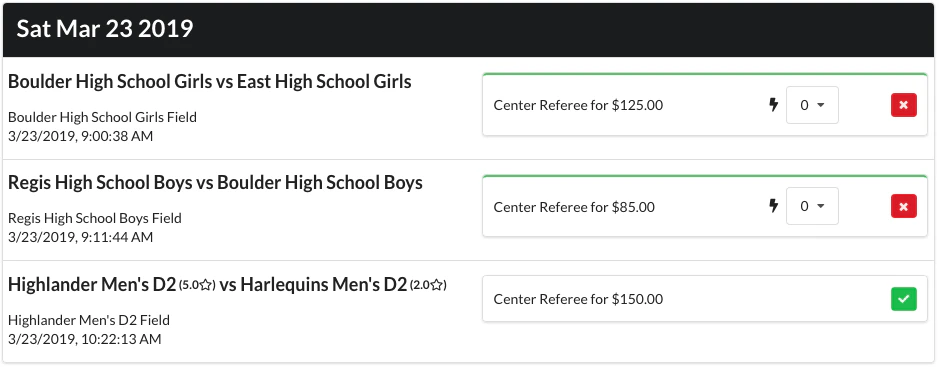 2. Click the
  next to the offer you want to cancel. This official has cancelled their first offer.
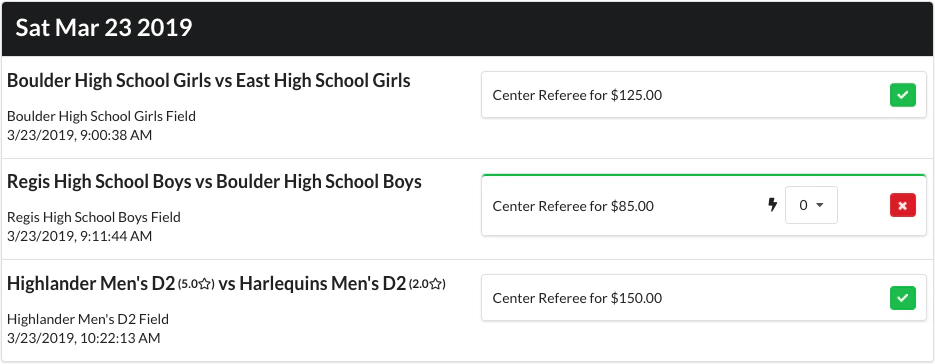 3. Any [boosts](/officials/boosts/winning-an-offer-with-boosts) you added to that offer will be refunded